2.9. About Gesture Operations
In Biz / Browser V 5.0.4.0 or later, you can use the UseGesture property and Gesture event added to the Form class to get the gesture by touch operation as an event.
This chapter describes the points to note when operating gestures.
Types of gestures that can be captured
The Form class can capture the following gestures.
◯ Flick operation
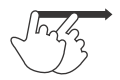
A flick operation is an operation in which you release your finger while moving it quickly as if you were flipping one finger on the screen.
It is mainly used for screen switching and flick input type software keyboards, and mainly uses information in the flick direction for processing.
◯ Swipe operation
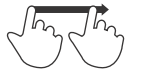
Swipe operation refers to the operation of moving a finger while keeping one finger on the screen.
It is mainly used for screen scrolling and item movement operations, and is processed by an event that occurs each time you move your finger.
◯ Pinch operation
Pinch operation refers to the operation of placing two fingers on the screen and narrowing or widening the distance between the two fingers.
The operation of narrowing the distance between the fingers is called pinch-in, and the operation of widening the finger spacing is called pinch-out.
It is mainly used for screen enlargement / reduction operations, etc., and is processed by an event that occurs each time you move your finger.

Transferring gesture operations to higher-level Form
If you do not specify $ NOPARENTSCROLL for the Form. UseGesture property , the gesture will be transferred to the upper Form.
This allows you to scroll the Form above the gestureing Form by swiping.
On the contrary, in order to handle gestures in the operation target Form , it is necessary to specify $ NOPARENTSCROLL in the Form. UseGesture property .
Mapping gesture operations to traditional mouse events
The following gesture operations are mapped to traditional mouse events.
◯ Tap operation
Clicked , LButtonUp event

◯ Double tap operation
DoubleClicked event
◯ Long tap operation
RClicked , RButtonUp event

The following are events that occur when UseGesture does not handle gestures.
◯ Swipe operation
MouseMove event _
◯ Pinch operation
MouseWheel event